
Applying, Archiving and Day Two
Why an agent's output can be trusted, the five checks that must all pass before anything runs on a schedule, what archiving does, and the change you will actually make six months later.
Everything up to here was written down and agreed. This is where an agent finally writes code — and where the question every client asks properly gets answered.
11.1 What apply actually does
You: /opsx:applyThe agent reads the specifications, the design and the task list, then works the tasks in order, marking each - [ ] as - [x] when it is done. It pauses if it hits a blocker or needs a decision.
That is the whole mechanism, and the important part is what it is working against. It is not writing code from a paragraph in a chat window. It is writing against twenty-four numbered tasks, each of which traces back to a scenario, each of which traces back to a requirement somebody agreed to in English.
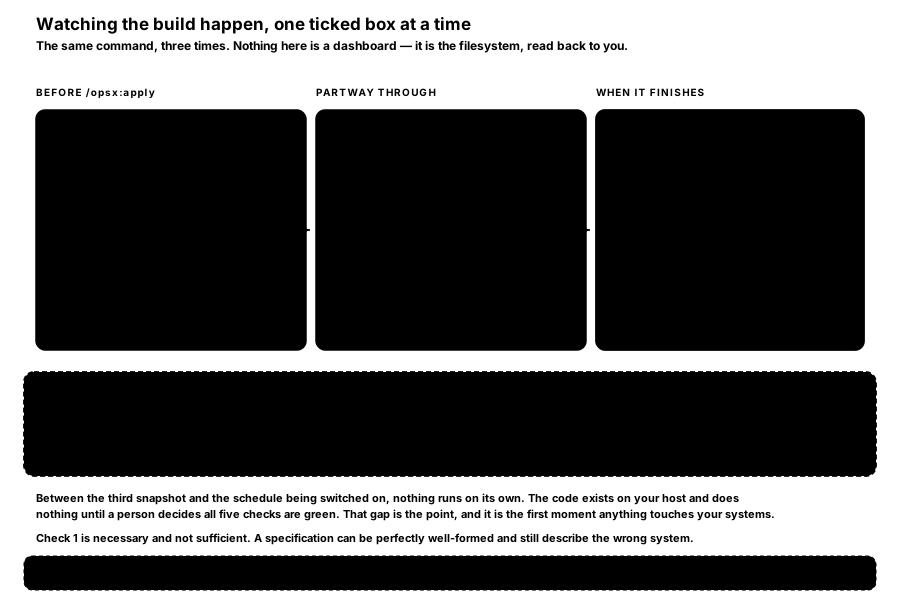
FIGURE W7 — Watching the build happen, one ticked box at a time. The same command, three times. Nothing here is a dashboard — it is the filesystem, read back to you.
The scepticism about AI-written code is warranted, and the reason is specific. An agent asked to "build a content pipeline" produces something plausible whose failures you discover in production. An agent working task 3.1 of twenty-four, where task 3.1 says discard by canonical URL, history window 30 days, is doing something much narrower and much more checkable. A person reads each task as it completes. That is not a claim that the output is correct — it is a claim that it is reviewable, which is the property that was missing.
11.2 What "done" looks like
Five checks, agreed in writing before the build started. All five must be green before the schedule is switched on.
- Validation is clean under
--strict. Errors and warnings both at zero. - Every task is ticked, and a person read each one.
24 of 24 doneis necessary and not sufficient; the tasks were read as they completed. - Deployed, with the schedule switched off. It exists on your host and does nothing. This is the first moment anything touches your systems.
- Run once by hand, end to end, with the log read. Which sources returned how many items, what the writer produced, what it logged as a warning.
- A real draft. A person opened the resulting article in WordPress and would have published it.
Only then is the schedule switched on.
Check 1 is necessary and not sufficient. A specification can be perfectly well-formed and still describe the wrong system. Checks 4 and 5 are the ones that catch that, and neither of them can be automated — which is the point of having them.
Between check 3 and the schedule being enabled, nothing runs on its own. The code exists on your host and does nothing at all until a person decides all five are green. That gap is deliberate, and it is the honest answer to "when does this start touching our systems?"
11.3 What archiving actually does
You: /opsx:archive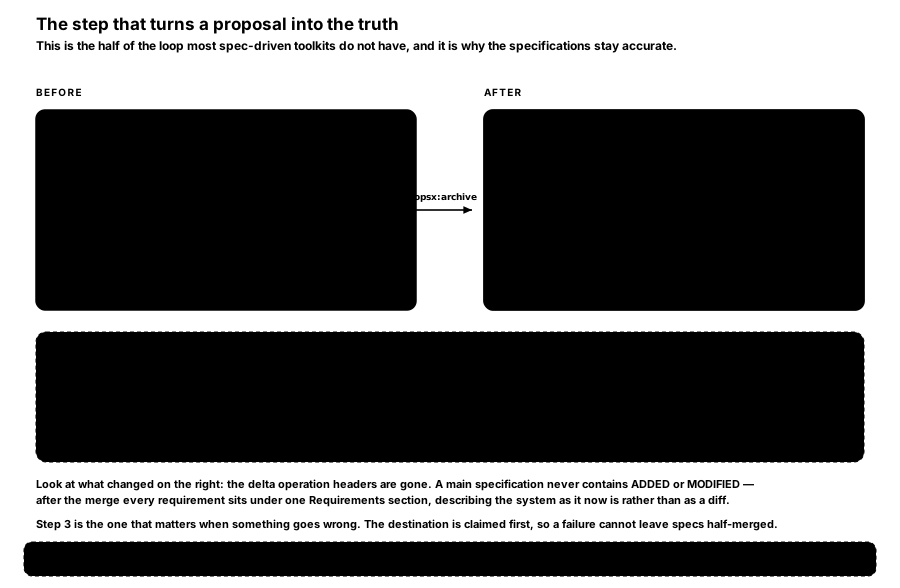
FIGURE W8 — The step that turns a proposal into the truth. This is the half of the loop most spec-driven toolkits do not have, and it is why the specifications stay accurate.
Seven things happen, in order:
- Validate the change, unless
--no-validatewas passed. - Ask for confirmation, unless
-yor--yeswas passed. - Claim the archive destination before touching any main specification.
- Merge each delta into
openspec/specs/, creating the file where the capability is new. - Move the folder to
openspec/changes/archive/2026-08-05-add-content-pipeline/. - On a mid-flight failure, restore the specifications and leave the change at its active path.
- If the verified copy completed but cleanup of the staged source failed, keep the complete archive.
Steps 3, 6 and 7 are the ones that matter when something goes wrong. The destination is claimed first, so a failure part-way cannot leave your specifications half-merged with no change folder to retry from.
Look at what changed in the "after" panel of FIGURE W8: the delta operation headers are gone. A main specification never contains ## ADDED or ## MODIFIED. After the merge, every requirement sits under one ## Requirements section, describing the system as it now is rather than as a diff against something older.
Avoid: running archive from CI without
--yes. A non-interactive run cannot answer step 2, so it stops before touching anything, exits 1, and prints the command to rerun. Nothing is half-applied, but it looks like a crash if you were not expecting it.
Two flags change the behaviour meaningfully. --skip-specs archives the folder without merging the deltas — for a change whose specification work was already pushed across by /opsx:sync. And a capability's specification file is only deleted when its last requirement is removed and .openspec.yaml sets retire_capabilities: true; without that marker, archive stops and reports the blocking condition rather than quietly deleting a file.
11.4 Day two — the change you will actually make
Six months in, you want to add a seventh source site. There are two ways to do that and only one of them is the method.
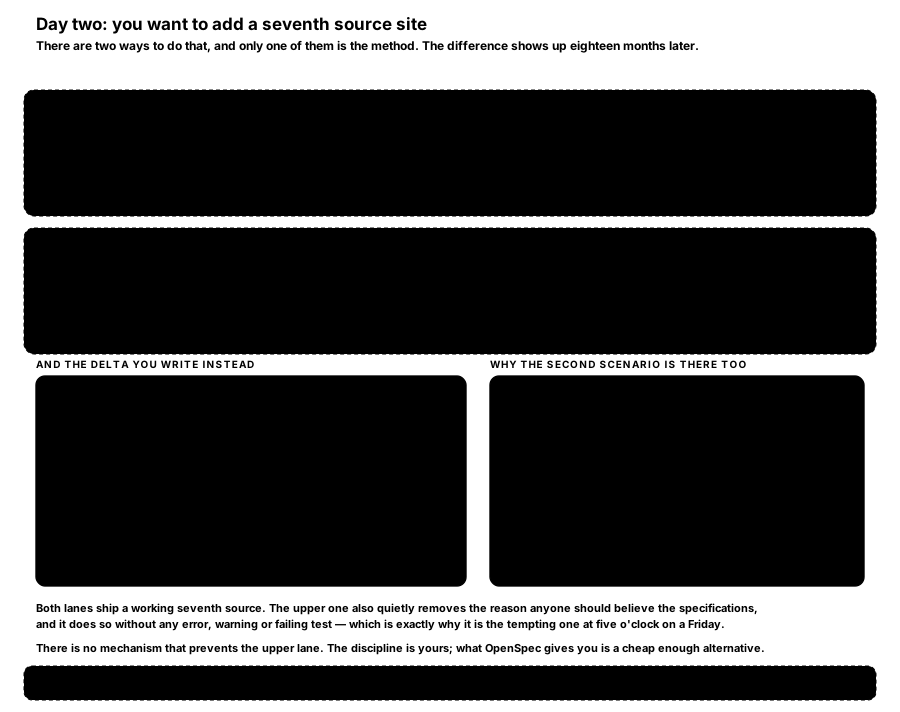
FIGURE W9 — Day two: you want to add a seventh source site. Both lanes ship a working seventh source. Only one of them leaves the specifications true.
The wrong way is to open the code and add the source by hand. It works, it takes ten minutes, and it makes the specification a lie. Do it three more times and the specification is fiction, at which point every argument on the why page has stopped applying to you.
The way that holds is one more ordinary change: propose it, write a MODIFIED delta against source-collection, apply the single task, archive it. Twenty minutes rather than ten, and openspec/specs/ still describes the system that is actually running on your host.
Look closely at the delta in that figure. Both scenarios are there, including the one that did not change. That is the MODIFIED rule doing its job: the block replaces the whole requirement, so what you write is exactly what lands in the main specification, and a block that omitted the unchanged scenario would silently delete a rule. Both openspec validate and openspec archive refuse such a block and name the missing scenario, so the fix is obvious rather than mysterious.
There is no mechanism that prevents the upper lane. Nothing errors, nothing warns, no test fails. The discipline is yours. What OpenSpec gives you is an alternative cheap enough that choosing it is not an act of heroism at five o'clock on a Friday — and a validator that catches the specific failure of nearly doing it right.
11.5 And if you need the specs true before you finish
Occasionally a change runs long enough that the specifications need to be accurate before the work is complete — a migration spanning several sprints, or a capability another team is already building against.
/opsx:sync is the valve for that. It pushes a change's deltas into the main specifications without archiving the change, which stays active. It is agent-driven rather than a mechanical copy: the assistant reads both the delta and the main specification and merges intelligently, preserving anything the delta does not mention, in the main specification's existing order. It ends by running openspec validate --specs, and will not report success if that fails.
Archive later with --skip-specs, since the merge has already happened.
How is this guide?
Last updated on
Specs, Deltas and Validation
The capabilities contract in action, the three user stories as testable requirements, the article contract, one requirement traced end to end, and what the validator refuses.
What This Buys You
The argument for adopting it, written for whoever signs off rather than whoever builds — plus a one-page reference to every command.