
Skills, Slash Commands and 36 Tools
How one set of instructions reaches whichever AI assistant each person already uses — the twelve skills, the two delivery mechanisms, and the four spellings.
This is the part that decides whether OpenSpec fits your team, and it is the part most write-ups skip. Nobody is asked to change editor, adopt a particular model, or open an account. The workflow is installed into whichever assistant each person already uses.
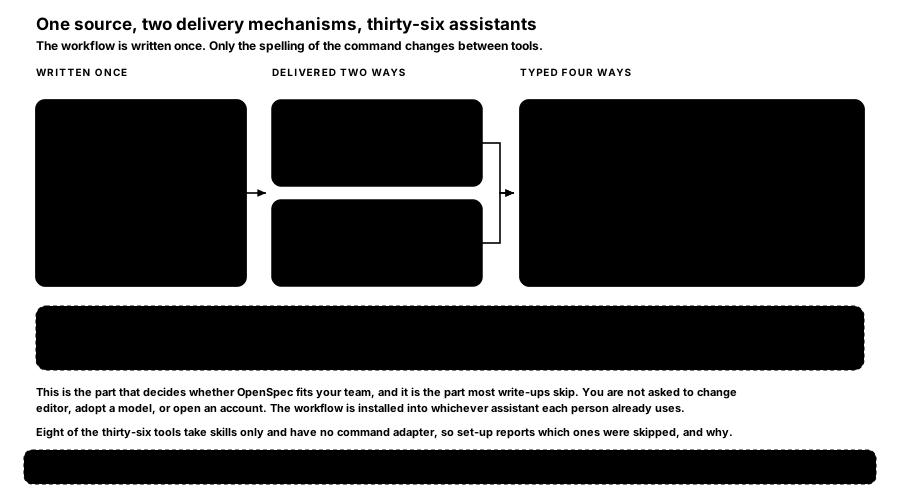
FIGURE 13 — One source, two delivery mechanisms, thirty-six assistants. The workflow is written once. Only the spelling of the command changes between tools.
5.1 The twelve skills
A skill is a folder of instructions — skills/openspec-<name>/SKILL.md — that an AI assistant auto-detects and follows. Each carries YAML frontmatter naming itself, describing when to use it, and declaring allowed-tools: Bash(openspec:*), which is what lets the assistant run the CLI on your behalf.
There are twelve:
| Skill | What it does |
|---|---|
openspec-explore | Think a problem through; reads code, creates no artifact |
openspec-propose | Create a change and draft all four artifacts |
openspec-new-change | Start a change, stepping through artifacts one at a time |
openspec-continue-change | Pick up an existing change where it was left |
openspec-ff-change | Fast-forward: create every artifact at once |
openspec-update-change | Revise artifacts on a change already under way |
openspec-apply-change | Work the task list, ticking as it goes |
openspec-verify-change | Check the implementation matches the artifacts |
openspec-sync-specs | Merge deltas into the main specs without archiving |
openspec-archive-change | Finish: merge, then file the folder away |
openspec-bulk-archive-change | The same, across several completed changes |
openspec-onboard | A guided first cycle on your own codebase, narrated |
5.2 Two delivery mechanisms
The same twelve skills reach your assistant one of two ways, and the choice is global rather than per project.
Skills — files under a tool's own skills directory, auto-detected. This is the emerging cross-tool standard and the direction the ecosystem is moving.
Command files — per-tool slash command files under a commands directory. The older mechanism, still fully supported, and the one that gives you a /-prefixed command in tools that expect one.
The delivery setting takes both (the default), skills, or commands, and openspec update applies it.
5.3 The four spellings
The canonical name for a command is /opsx:<id>. What you actually type depends on how your tool spells slash commands:
| You type | Tools |
|---|---|
/opsx:propose | Claude Code, Gemini CLI, Crush, CodeBuddy, Lingma, Qoder, ZCode |
/opsx-propose | Cursor, GitHub Copilot, Cline, Kiro, Roo, Trae, and most others |
@opsx-propose | Amazon Q |
$openspec-propose | Codex |
/skill:openspec-propose | Kimi Code |
openspec init prints the correct form for the tools you actually selected, so you do not have to memorise this table. Three legacy names — /openspec:proposal, /openspec:apply, /openspec:archive — still work.
5.4 Profiles: six commands, or twelve
Not all twelve skills are installed by default. The core profile — the default — installs six:
/opsx:propose    /opsx:explore    /opsx:apply
/opsx:update     /opsx:sync       /opsx:archive
The expanded profile adds the other six:
/opsx:new    /opsx:continue    /opsx:ff
/opsx:verify /opsx:bulk-archive /opsx:onboard
Switching is two terminal commands:
openspec config profile      # pick the expanded workflows
openspec update              # apply them to this project
Note —
/opsx:onboardis in the expanded set, which matters because it is the command most useful to somebody adopting OpenSpec on an existing codebase. If you are following the brownfield page and the command does not exist, this is why.
5.5 The thirty-six tools
Thirty-six assistant IDs are supported, each with its own directory convention: Amazon Q, Antigravity, Auggie, Bob, Claude Code, Cline, CodeArts, Codex, CodeBuddy, Continue, Costrict, Crush, Cursor, Devin, Factory, ForgeCode, Gemini CLI, GitHub Copilot, Hermes, iFlow, Junie, Kilo Code, Kimi Code, Kiro, Lingma, MiniMax Code, Mistral Vibe, oh-my-pi, opencode, Pi, Qoder, Qwen, Zoo Code, Trae, ZCode, and a shared .agents directory for tools that read the common location.
Twenty-eight of those have a command adapter. The other eight are skills-only — CodeArts, Codex, ForgeCode, Hermes, Kimi, MiniMax Code, Mistral Vibe, and the shared .agents target — so openspec init reports which tools had commands skipped, and why. That is informational rather than a failure; those tools still get the full workflow through skills.
Assumption — this proposal names Claude Code as the assistant running OpenSpec. That is decision seven in the register, and disagreeing with it costs one flag at set-up time. Nothing about the method, the artifacts, or the specifications moves if you pick a different one.
5.6 What this actually buys
Three things, and they are worth naming because they are easy to take for granted.
No lock-in at the tool layer. Two people on the same repository can use different assistants and produce identical artifacts, because the artifacts are defined by the schema rather than by the tool.
No lock-in at the model layer. OpenSpec makes no model calls of its own and holds no API key. It reads and writes files, and your assistant does the thinking. Its own usage note recommends high-reasoning models for planning and implementation, but nothing enforces one.
Nothing is hosted by anybody. There is no server, no account and no dashboard. The whole state of the system is files in your repository, which is also why the archive is a durable record rather than a vendor's database.
How is this guide?
Last updated on
The Artifacts and Their Grammar
What lands on disk and who owns each half, the exact headings a specification needs, the four delta operations, and the two configuration files.
Adopting It on an Existing Codebase
The brownfield case, which is the one OpenSpec was built for. You specify only what you are about to change, and the specs fill in around the work you were doing anyway.