
The Prompt Map
Every prompt in this pipeline in one view — the eight a person types while building and operating it, and the one that runs unattended inside the workflow.
Nine prompts run this pipeline. Eight are typed by a person: three to build it, two to deploy it, three to change it once it is live. The ninth is never typed by anyone — it sits inside the workflow and runs on every execution.
This page is the index of all nine, and the map of how they relate. Building it by prompt walks through the eight build-and-operate prompts in order with the full text of each; the pipeline design holds the ninth.
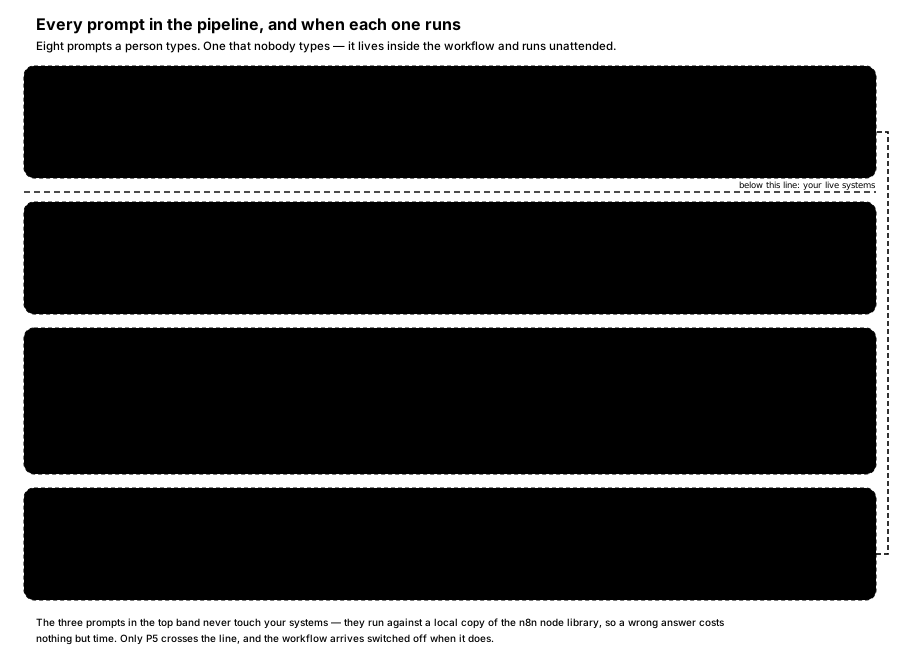
FIGURE 13 — Every prompt in the pipeline, and when each one runs. Read the bands top to bottom. Only the second band and below touch anything of yours.
The nine prompts at a glance
| ID | Prompt | Phase | Touches | What comes back |
|---|---|---|---|---|
| P1 | The writer's instructions | Run time — every execution | Runs inside the deployed workflow | One article as structured fields, or a skip |
| P2 | Find the right nodes | Build | Nothing — offline reference database | Real node types, with the reasoning visible |
| P3 | Read the schemas, then assemble | Build | Nothing — offline reference database | A complete workflow, built against real parameter shapes |
| P4 | Validate and fix | Build | Nothing — offline reference database | Validation output before and after, and what changed |
| P5 | Deploy, inactive | Deploy | Your n8n instance | The workflow on your instance, switched off |
| P6 | Run it once, for real | Deploy | Your n8n instance, sources and site | A real WordPress draft, plus the execution behind it |
| P7 | Add a new source | Operate | A copy, then your instance | A revalidated workflow with the source added |
| P8 | Diagnose a failed run | Operate | Reads your execution history | What actually failed, rather than that it failed |
| P9 | Change the target length | Operate | A copy, then your instance | The writer's instructions edited and redeployed |
Two things are worth noticing in that table. P2, P3 and P4 touch nothing of yours — they run against a local copy of the n8n node library, so a wrong answer costs nothing but the time to correct it. And P1 has no "typed by" at all, because nobody types it. That difference is the subject of the rest of this page.
The one prompt nobody types
Every other prompt here is a thing a person does. P1 is a thing the system is. It was written once, at build time, and it now decides the shape of every article the pipeline will ever produce — which makes it the single highest-leverage piece of text in the design.
You are a staff writer for [CLIENT NAME]. You will receive several
source articles covering a related story.

Write ONE article that synthesises them. Do not summarise any single
source, and do not stitch the sources together in sequence.

Voice and format
- [House voice, taken from your style guide]
- 600–800 words
- Open with why this matters to [your audience], not with what happened
- A subheading every 200–300 words

Rules
- Attribute every factual claim to the source it came from
- Where sources disagree, say so rather than silently picking one
- Where something cannot be confirmed from the sources, say so
- Never invent quotes, figures, names or dates
- If the sources do not support an article worth publishing, return
  status "skip" with a one-line reason instead of writing one anyway

Return separately: headline, standfirst, body, suggested tags, and the
list of source URLs used.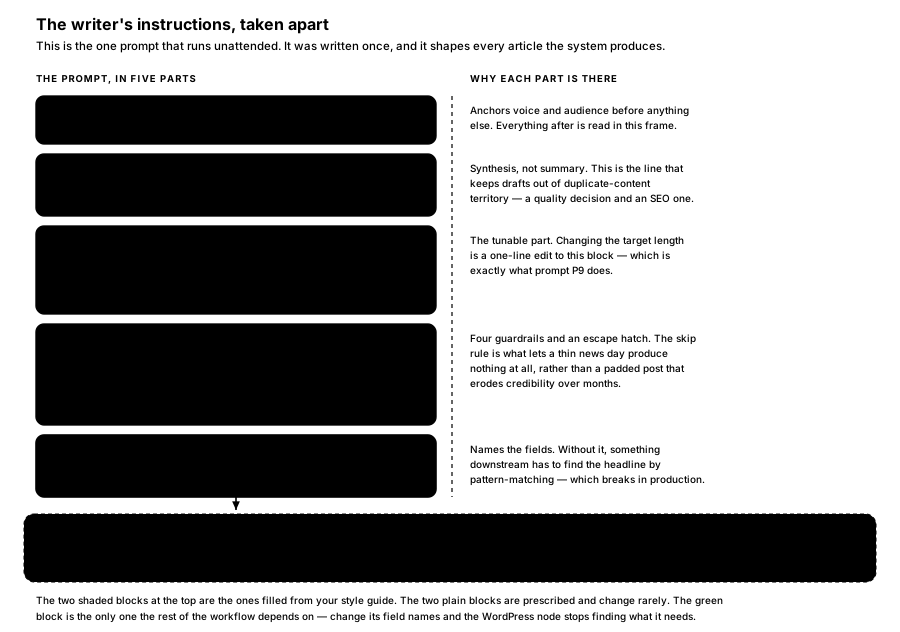
FIGURE 14 — The writer's instructions, taken apart. Five blocks, and what each one is load-bearing for.
Read that way, each block is doing one job:
The task block is an editorial control, not a style preference. "Synthesises them… do not summarise any single source" is what keeps a draft from tracking one source closely enough to read as duplicate content. The same sentence is doing quality work and SEO work at once.
The voice and format block is the tunable one. It is where your style guide lands, and it is the only block that changes with any regularity — P9 exists precisely to edit one line of it.
The skip rule is an escape hatch, deliberately. Without it, a thin news day still produces an article, because the model was asked for one. Thin articles are exactly what erodes a publication's credibility over months, so the prompt is written to allow an empty drafts folder.
The output contract is the boundary to the rest of the workflow. It names the fields, which is what lets the structured output parser guarantee a shape instead of leaving something downstream to find the headline by pattern-matching.
A discrepancy worth knowing about. The output contract above asks for five fields — headline, standfirst, body, tags and source URLs — while the surrounding prose in Stage 2 and prompt P3 both describe three: headline, body and tags. The parser schema is the thing that settles it, and it declares seven:
status,reason,headline,standfirst,body,tagsandsourceUrls. If you narrow the prompt, narrow the schema with it — they have to agree.
Which prompt do I need?
| If you want to… | Use |
|---|---|
| Build the pipeline from nothing | P2, then P3, then P4, in that order |
| Get it onto your instance without it running | P5 |
| See a real draft before committing to a schedule | P6 |
| Watch a source you did not have before | P7 |
| Understand why last night produced nothing | P8 |
| Change length, tone, structure or the house voice | P9 — it edits P1 |
| Change what fields the article comes back as | P9 and the parser schema — see the discrepancy note above |
Every one of these except P8 ends by re-entering validation before anything is deployed. That is the loop drawn down the right-hand side of Figure 13, and it is the same build order the original build followed.
Avoid: prompting changes directly against the live production workflow. Work on a copy, validate, then deploy.
Why the split matters
The eight prompts a person types are build-time tools. They need Claude Code, n8n-mcp and n8n-skills, and for the later ones an n8n API key. None of them is part of the running system.
P1 is. It is a string inside a node inside a workflow on your n8n instance, and it will keep running on its schedule whether or not the toolchain that produced it still exists. That is the whole of build time versus run time, stated in terms of prompts: eight of these built the thing, and then stepped out; one of them is the thing.
To see where P1 physically sits in the deployed artifact — the systemMessage on the AI Agent node — see The Workflow Artifact.
How is this guide?
Last updated on
Building It by Prompt
The actual prompts used to find nodes, assemble the workflow, validate it, deploy it inactive, and change it later — plus the prescribed build order.
Running It and Editorial Control
Day-two operation — cadence, failure modes, cost and change — plus the editorial risks that actually matter: accuracy, attribution, source permissions and brand drift.